Shoppego Features
Full list of features in the Shoppego platform.
Below is a brief description of the existing features in the Shoppego platform. The Shoppego platform is constantly updated with new features to help our users build their business brands. Each improved feature is tailored to the needs of Shoppego users. Shoppego regularly conducts one-on-one sessions with Shoppego users to ensure that the platform remains relevant and helps entrepreneurs and marketers in managing their businesses.
Contract
Users who subscribe to any package with Shoppego will not be bound by a contract. For example, if a user subscribes to the Standard package priced at RM599 per year with a complete payment gateway system, they only need to pay once a year.
After the subscription period ends, customers have the right to choose whether to continue their subscription or not. This is because Shoppego does not require them to renew after the subscription period ends. Users only need to make another payment of RM599 per year if they still wish to continue their package subscription with Shoppego.
Metafields
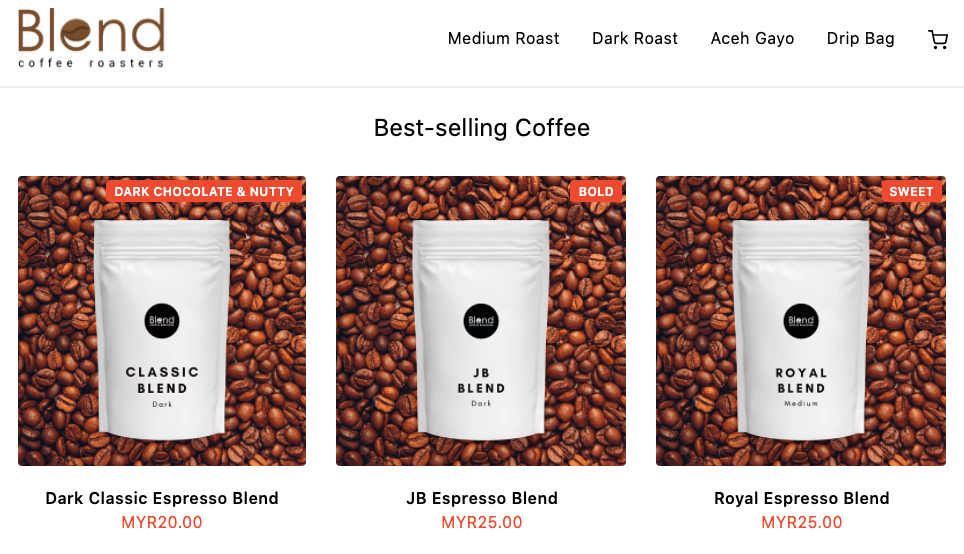
A Metafield is a custom data display that can be used on products within the user's website. Users can place information they want to highlight about the product at the top of the product image.
For example, an item that has a label‘Bold’ in orange is a built-in custom label that users can place on their website
Product category
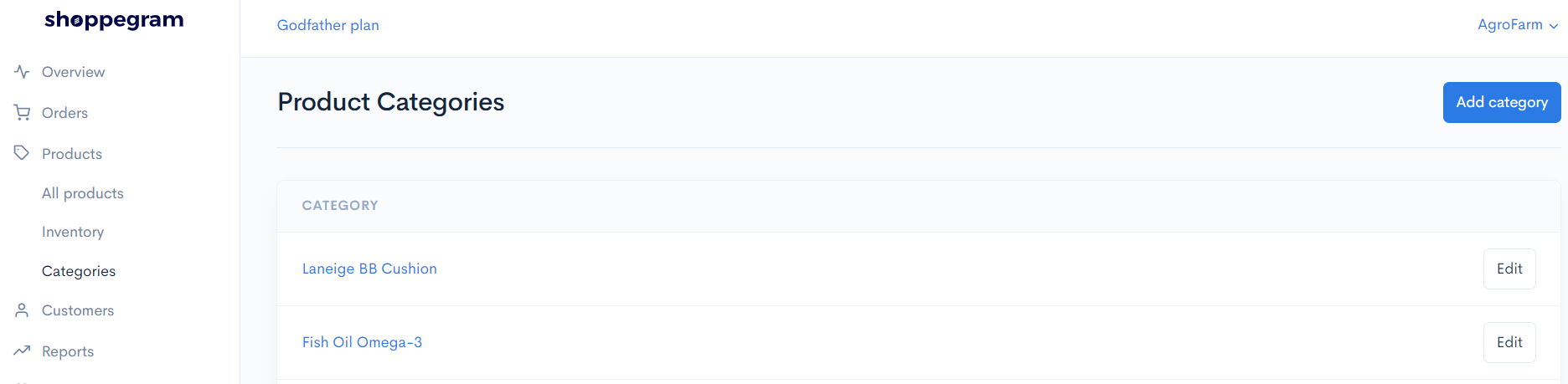
In Shoppego, users can segregate the products they want to sell according to their own criteria.
For example, there are users who sell beauty and health products at the same time. So, they can create special product categories for beauty and health items on their website.
Shoppego also allows users to organize their product arrangements neatly using the ‘drag and drop’ arrow button.
Email Template
Shoppego has email templates where customers will automatically receive notifications from users.
Below are examples of email templates available in the Shoppego system.
1. Order confirmation
This email will be sent to customers after successfully placing an order to confirm its receipt. This email contains information about the order items, shipping, billing, and order status.
2. Order shipment
This email will be sent to users to inform customers that their purchased goods are being shipped.
3. File available for download (For digital products)
Users can place files for customers to download after they complete the payment process. When the customer's order status changes to 'Paid', they can start downloading the digital order through a link sent automatically by the user via email.
4. Order status change
Customers will receive this email when the user starts processing the orders they have placed.
5. Abandoned checkout
This function is called a reminder email. When customers add orders to their 'add to cart' section but do not proceed with the payment, they will receive an abandoned checkout email to remind them to continue with the payment process.
Email notification
This email notification feature is available in all Shoppego packages. By using this feature, users will receive emails from Shoppego if there are orders made on their website and also if there are customers who only 'add to cart' but do not proceed with payment.
Sales report
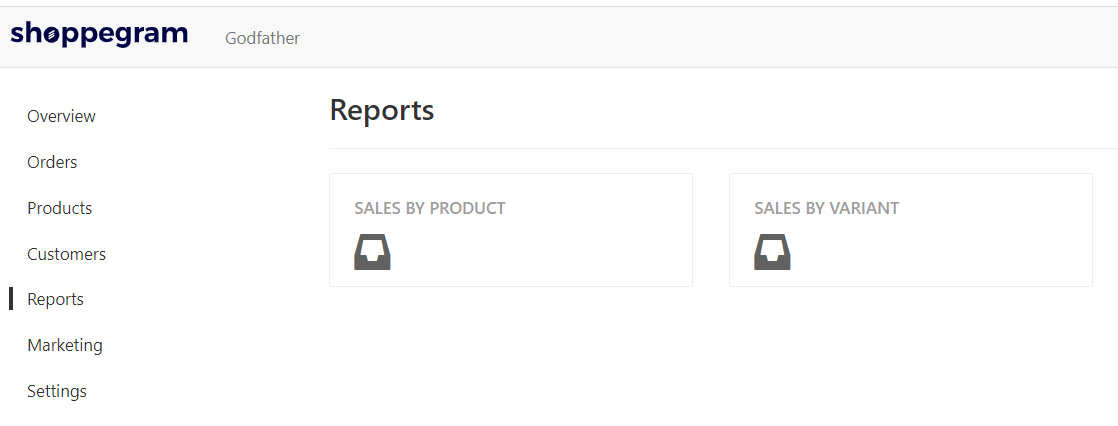
Every time a transaction occurs on the user's website, this information will be recorded in the sales report section. Shoppego provides 2 types of sales reports to users, namely reports based on products and variants.
Sales based on product means users can see which products on their website are in most demand among customers.
Sales based on variant refers to products that have similarities based on model but differ in various aspects from one another. For example, the user sells women's clothing, namely jeans.
However, the jeans sold have 4 types of sizes. So, that size is counted as a variant. Here, customers can make comparisons by seeing which size is the best seller among their buyers.
Order status management
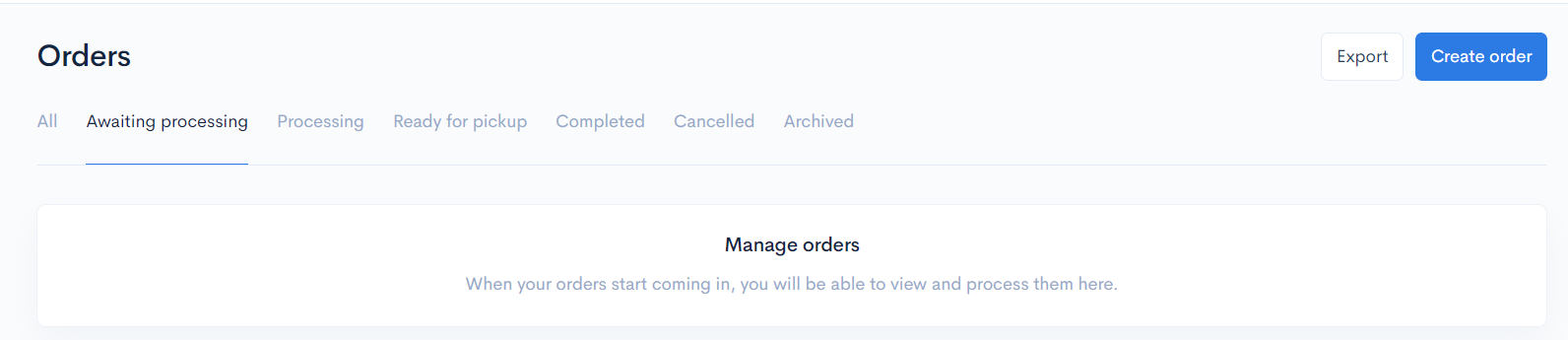
The Shoppego system simplifies users' tasks in managing their order statuses. For example, when a buyer has placed an order, the user can see in the Shoppego dashboard whether the buyer has made a payment or not.
Once they have completed the payment process, users can proceed with the delivery of the products. If the opposite occurs, users can send a follow-up email to that customer as a reminder.
For users who use the Premium package, they can use the automatic abandoned checkout email feature. This means they do not need to manually send follow-up emails to customers.
Customer data management
In the Shoppego system, users can view the data information for each customer who has made a purchase. With the available data, users can determine which products to sell after analyzing and drawing conclusions based on customer data.
For example, suppose the user runs a hijab business. The data indicates that most customers are women, middle-income individuals, and young executives. The majority reside in the Selangor area.
Therefore, the user can introduce instant shawls as one of the products on the website. This is because working women usually prefer shawls that are quick to wear, easy to use, and ironless.
Inventory management
The inventory management system in Shoppego allows users to manage their stock automatically. Previously, users had to provide information about each product to customers individually regarding price, quantity, size, color, and so on manually.
However, by using this system, buyers wishing to purchase products sold by users can directly view all descriptions for each product on the user's website.
Through this system, users can improve products with low demand and devise new strategies for the most 'high-demand' products among customers based on the number of products sold displayed on the Shoppego dashboard.
Order management
The Shoppego system allows users to manage orders very easily. For example, if previously users only closed sales through WhatsApp, they had to manage orders manually. They also needed to check at all times whether customers had made payments.
However, by using Shoppego, customers can directly fill in the recipient's information such as name, address, and phone number in the 'checkout' section. This means users no longer need to write recipient information manually.
Users will also receive notifications when there are orders placed on their website. This will make their order management system more systematic and easier to manage.
SSL Certificate
Secure Socket Layers, or SSL, is a standard security technology for establishing an encrypted link between a web server and a browser. Shoppego has an SSL system to ensure that all information accessed and browsed on the user's website remains confidential and secure from theft or hacking.
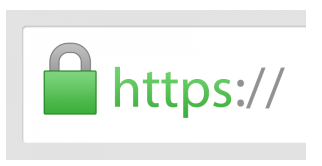
Websites built by users using the Shoppego system will have https in their addresses. This means they have an SSL certificate and their website is protected against hackers.
Users will also be able to see a green font that many people interpret as a sign that it is legitimate and safe to browse their website.
In-store pickup
Users can offer customers the option to come to their business premises to pick up orders that have been made. This is one way traders can promote their business and gain new customers.
When the customer's order is ready for pickup, users can provide them with instructions for product collection.
Cash on delivery (COD)
The COD system is a system where customer orders are delivered via a runner or a courier service that offers this service. By using this system, customers only need to make payment as soon as their order is received.
In Shoppego, users can determine the COD price in two ways: setting the price based on weight (Weight based rates) and cost rates based on product price (Product based rates).
Express delivery shipping
Express service is the fastest form of product delivery. This means customer orders will be sent as quickly as possible through the courier service. This express post usually comes with a guarantee that the goods will arrive in the hands of the buyer by the date they have set.
Delivery time usually varies between 24 - 72 hours depending on the area where the customer resides. Customers can also track the status of their order delivery using the tracking number provided by the user.
Among the courier services that users can use in Shoppego are Poslaju, GDex, Skynet, and J&T Express.
Postcode-based shipping
Shoppego has a postcode function that users can use if they want to make special deliveries for certain areas in the form of a postcode.
If the customer's address is included in the postcode list or is within the radius set by the user, then the customer can choose whether to request the user to deliver the goods via COD or not as an option during the checkout process.
Price-based shipping
In Shoppego, users can set shipping charges based on the minimum and maximum quantity of products purchased by customers.
For example, the user wants to set different shipping charges for orders below and above RM100. By using 'Price-based shipping', they can set the shipping charge to a fixed RM7 for orders below RM100.
For orders exceeding RM100, users can set the price to RM15 for each delivery made. This function also allows users to set free shipping promotions if the buyer successfully reaches the minimum price they have set.
Weight-based shipping
Shoppego allows users to set shipping charges to buyers based on the total weight of the products purchased by customers.
For example, if the user wants to impose different charges for orders below and above 0.5kg.
They can set a fixed shipping charge of RM8 for orders under 0.5 kg and RM11 for each product exceeding 0.5kg.
By enabling this function in Shoppego, customers with products weighing 0.5kg and above will automatically incur a shipping charge of RM11 during the checkout process.
Personalized Shipping
Personalized shipping means users can set up whether they want to choose to use global shipping or free shipping in Shoppego for product delivery.
Users can also set the cost of shipping for each order made by customers.
SendParcel by Pos Laju (Built-in Fulfillment)
Users who subscribe to the Premium package can use SendParcel as one of the providers for delivering product orders to customers.
To use this feature, users must have an account with SendParcel first before linking it with the MPA platform.
The way to fulfill orders using SendParcel is very easy. Users only need to fill in the location information for the delivery company to pick up the order along with an email.
The AWB (Airwaybill) for orders made by users will be generated automatically. Users just need to print this AWB from the SendParcel platform.
After that, users can update the tracking to provide it to customers. After the courier comes to pick up the goods, customers will receive an email about their tracking number automatically from the Shoppego system.
Delyva (Built-in Fulfillment)
Shoppego now supports using fulfillment by third parties. Users no longer need to hassle with copying and pasting order details. With just a few clicks, your orders will auto-sync with Delyva.
To use this feature, users need to have an account with Delyva first. Registration with Delyva is free.
The way to fulfill orders using Delyva is very easy. Users only need to fill in the location information for the delivery company to pick up the order along with an email. Delyva allows users to choose any courier service they want to use. In this section, prices are already determined according to the address in the order section.
Users need to choose whether to use the method of Dropoff or Pickup. Dropoff means users will go to the nearest post office and deliver the goods themselves.
Pickup means the courier will send a vehicle to collect the goods that have been ordered at the address specified during the address setting.
Usually, the Pickup Method will be chosen to facilitate sellers. When the Pickup Method is selected, a schedule will appear for choosing the pickup date by the courier.
After managing the order, users will receive a tracking number automatically to provide to customers.
The AWB (Airwaybill) for orders made by users will be generated automatically. Just print this AWB from the Delyva platform.
Google Tag Manager
Google Tag Manager (GTM) is a tool that allows users to track all activities occurring on their website for the purpose of data collection to improve in the future.
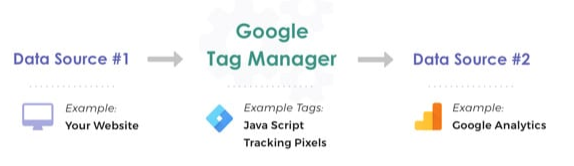
Information from one data source (the user's website) will be shared with another source (Analytics) through Google Tag Manager. GTM will be very beneficial when users have many tags to manage because all information has been stored in one place.
Facebook Product Catalogue
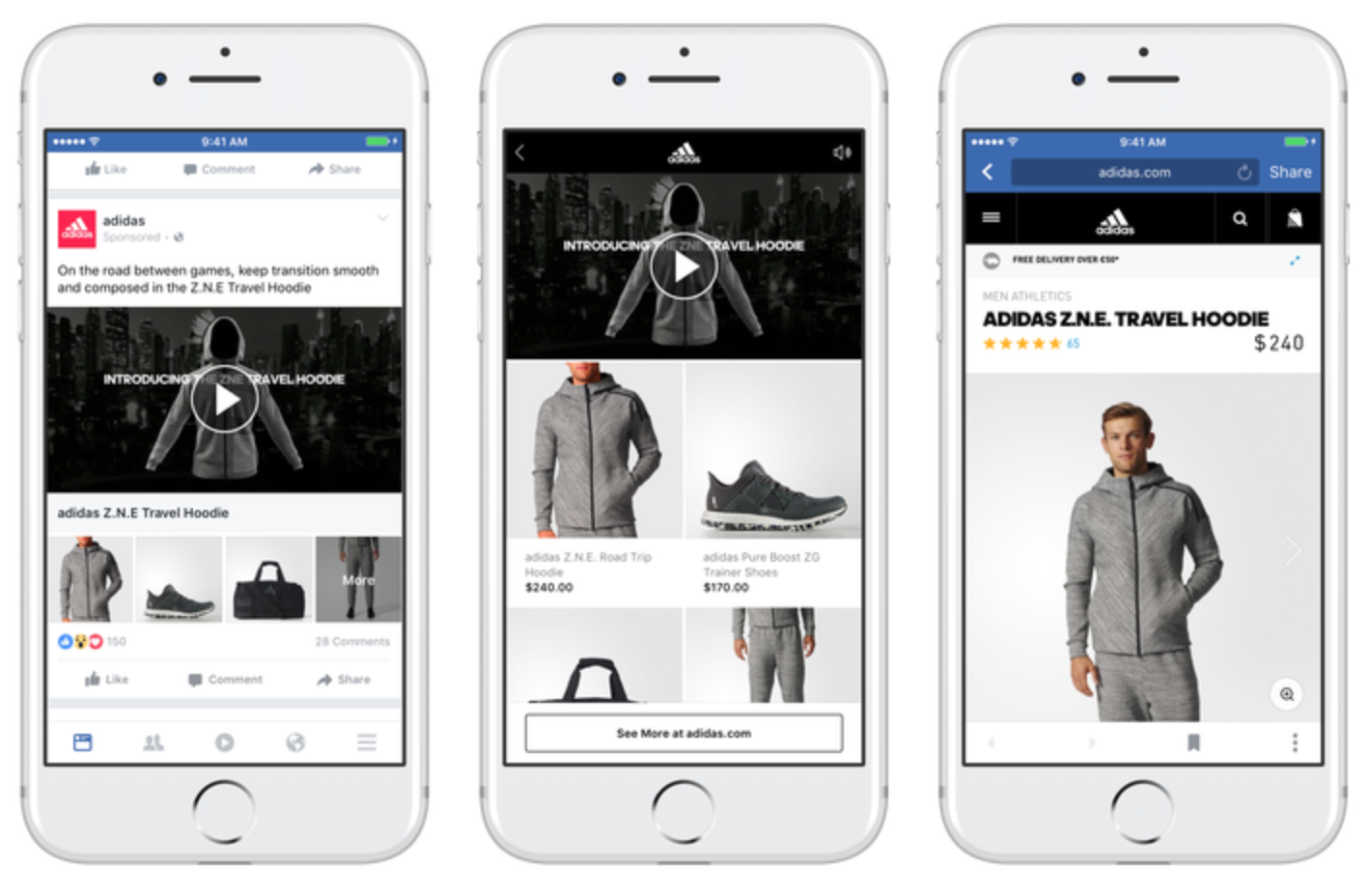
Facebook product catalog is a place that stores information about products that users want to advertise on Facebook or Instagram.
Users can create catalogs for various types of inventories such as products (E-commerce websites), tourism sector (hotels, flight tickets, and tours), lists of types of houses and vehicles.
By using the Facebook product catalog, users can:
1. Create catalogs for all items and update the inventory whenever there are changes.
2. Add and manage information about products that users want to sell, such as title, images, description, price, variants, and more. Users can also upload images for products individually or in bulk.
3. Set ads or collections (for websites) of products in the user's catalog for customer viewing.
Facebook Pixel
Facebook pixel is one of the analytic tools provided by Facebook to record data of visitors who have entered our website.
It provides important information that users can use to create Facebook ads to target ads more effectively. The data collected by Facebook Pixel can help users ensure that the ads they have created will be seen by people who are most likely to take the desired actions.
This allows users to increase the conversion rate of Facebook ads and achieve better ROI.
Shoppego has made it easy for users to set up Facebook Pixel by simply copying the ID and pasting it into the ‘Preferences’ section of Shoppego. It’s very easy!
This is because users do not need to copy code and paste it into all programming sections.
Support for Payment Gateway (Securepay, Bizappay, Billplz, Stripe)
Currently, in Shoppego, users can only integrate with Securepay, Bizappay, Billplz, and Stripe for the payment gateway.
For Securepay, Bizappay, and Billplz, the fees charged will range from RM1.00 to RM1.50 per transaction.
In summary:
FPX (online banking):
Securepay (RM1.00, on-site checkout, has callback)
Bizappay (RM1.00, no on-site checkout, has callback)
Billplz (RM1.10, on-site checkout, has callback)
On-site checkout: No need to redirect to the payment gateway. Checkout directly in Shoppego.
Callback: If the user exits right after payment, the payment gateway will update the Shoppego system to inform that payment has been made.
Credit card:
Stripe (RM1 + 3%, on-site checkout for credit card *only Stripe is available so far, has callback, has 3D secure authentication, accepts multiple currencies, and is worldwide)
Billplz (RM150 per month, 1.8%)
For settlement, it usually releases in 24 hours except on holidays. For users using Securepay, Billplz, and Stripe, they need to have a current account and SSM.
If users do not have SSM, they can use Bizappay as a payment gateway in Shoppego. They only need an IC and a personal account. But this is only temporary.
Legally, you cannot create an E-commerce website without SSM and a current account for the payment gateway.
On-site payment
On-site payment means customers can complete the entire payment process directly through the Shoppego system.
Checkout Customization
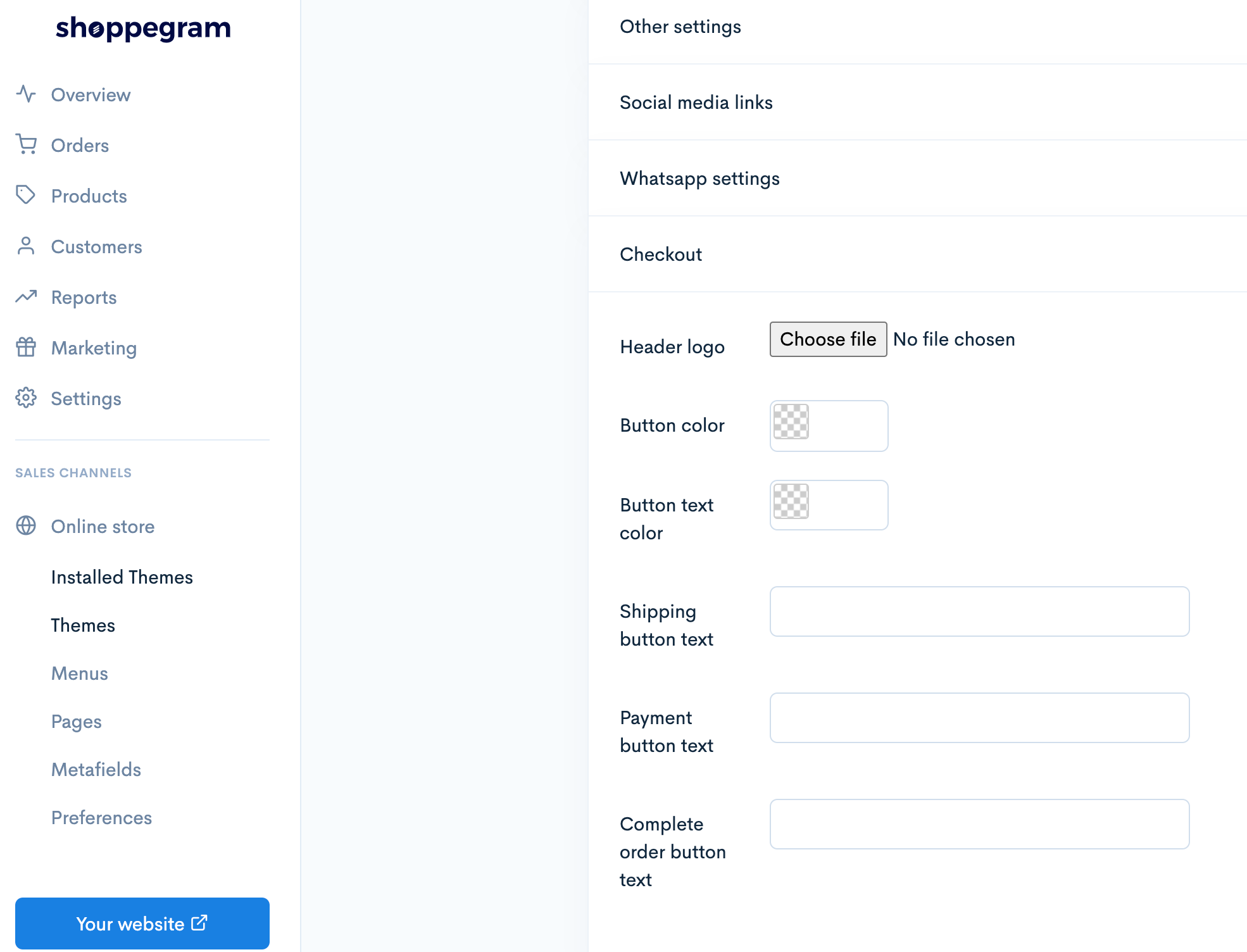
In Shoppego, users can customize their payment page in the section ‘installed themes’.
Users can add their company logo, change the color of the purchase button, or change the text color to match their business.
Additionally, users can also place purchase instructions for customers. For example, for the button ‘Buy Now’, customers can place the phrase ‘Click here to proceed with the purchase’ to help customers better understand the actions they need to take.
Digital Checkout
This digital payment allows customers to make payments easily without having to re-enter all their information.
Abandoned Checkout
Abandoned checkout is a situation where customers have added products they wish to purchase in the ‘Cart’, maklumat yang diperlukan untuk tujuan pengeposan produk telah diisi tetapi akhirnya mereka tidak teruskan dengan pembayaran.
Shoppego records abandoned checkout data and makes it available via webhooks. Merchants can use this data to follow up with customers privately through their preferred channels such as Email, SMS, or WhatsApp.
High Conversion Checkout
The Shoppego system is specifically designed to generate sales and improve the conversion rate of the user's website. By using Shoppego, users can easily build a converting online store. They only need to upload products and can start selling immediately.
For example, when customers enter the website, they can immediately see the product categories displayed on the homepage of the online store.
Customers can make purchases as easily as selecting products, checking out orders, and making payments. This will provide a smooth shopping experience for customers.
Minimum Purchase Checkout
Shoppego allows users to set a minimum order quantity that customers must meet if they want to make bulk purchases of that product.
For regular buyers, users can limit the minimum purchase amount that customers need to meet.
Product recommendations
Product recommendations are a system that delivers relevant product information to customers to encourage them to take actions beneficial to users and their online store.
These recommendations can come at any time while customers are on the website, from the homepage to the checkout section and even in follow-up emails.
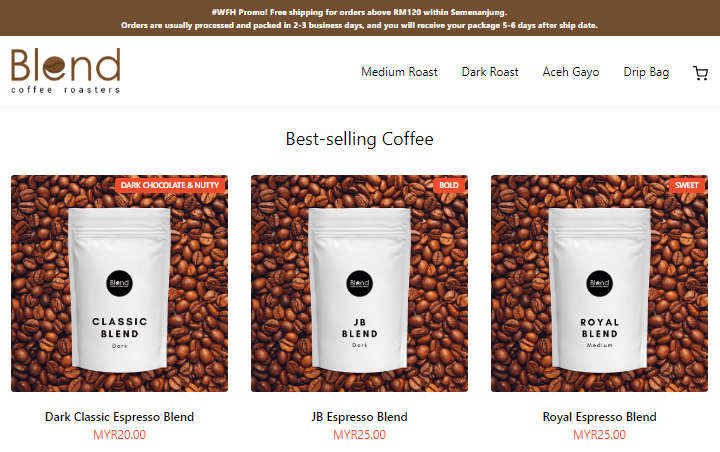
One of the easiest things users can do in the Shoppego system is to showcase the best-selling products on the homepage of the website.
For example, the Blend website uses the label “Best-selling Coffee” at the top of the products to draw customers' attention to product recommendations in their online store.
High Conversion Themes
Shoppego emphasizes the concept of 'easy to use' as the main principle of our product. The provided themes are very complete and easy to use. No need to worry about technical issues.
This is because users do not need to install anything. They just need to register an account, set up products, and the website can go live immediately.
Theme Editor (HTML/CSS/JS)
This theme editor feature allows users to customize the theme according to their preferences. Users can edit HTML/CSS/JS directly on the theme.
However, if users do not have coding skills, it will not be a problem. Shoppego has provided three complete theme templates for users to utilize, namely Theme Solaris, Bota, and Hartamas, which users only need to install to use.
Express Checkout
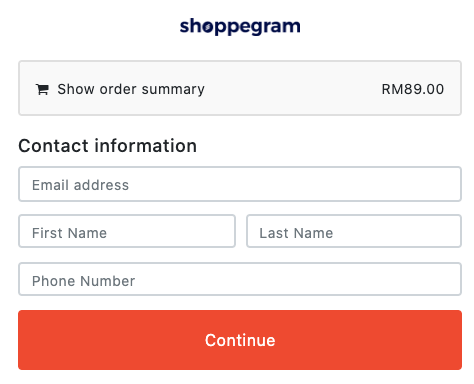
Express checkout means that when customers press any button created by the user, they will be taken directly to a new page asking them to fill in their personal information such as email address, name, and phone number.
Express checkout is suitable if users want to ensure that when customers click their button, they are taken directly to the Checkout page.
On-site Checkout
On-site checkout means customers directly enter their payment details on the user's website in the payment section using the Shoppego system.
Cart Upsell
While customers shop on the user's website, In Cart Upsell will see what products are already in the shopping cart.
When customers wish to proceed with the payment process, one of the offers set by the user will appear, asking if the buyer wants to add that item to their cart or not.
For example,
Buy 2 shirts and get 1 scarf for free
Social Proof Notifications
Social proof notifications are a feature from Shoppego for users with Standard accounts and above.
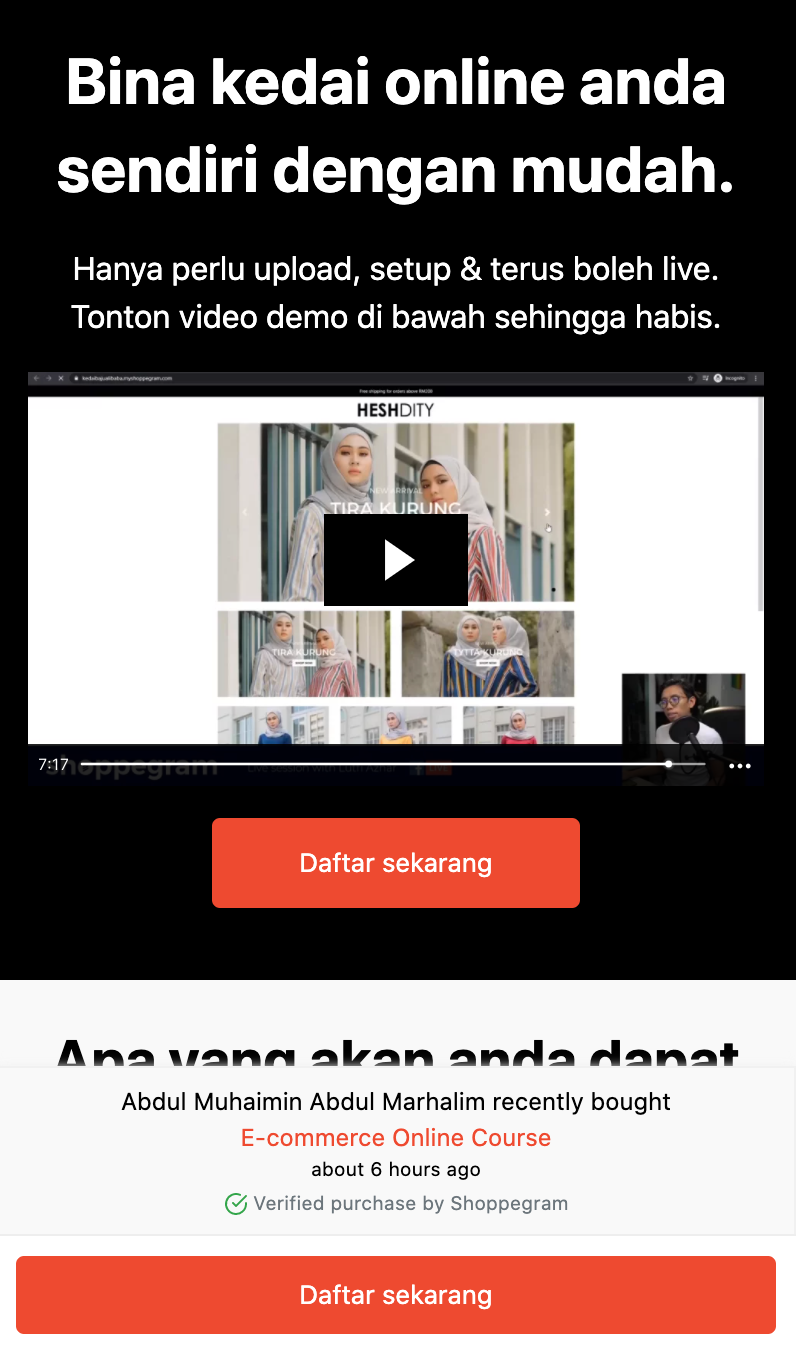
This sales pop-up will only appear when there is a purchase from customers on the Shoppego website.
The purpose of this social proof is to further enhance buyers' confidence in making decisions when viewing the products that users offer.
All displayed buyer information will be generated automatically. Users do not need to set the time, product name, and others. They just need to turn this feature on.
Refer to the example for a description of the sales pop-up.
Drag & Drop Sales Page Builder
Shoppego also has a built-in drag-and-drop page builder for users to create sales pages easily. This feature is only available in the Standard package and above. This sales page is more about selling products.
For example, imagine yourself as a virtual salesman. Usually, when making closing sales on Whatsapp, users have to answer questions and also explain each thing asked by the customer one by one. It will take a long time.
So, all the processes can be placed in just one sales page. In that sales page, users can explain the problems faced by customers, how the seller's product can solve their problems, and also what services they want to offer.
To ensure the sales page looks attractive, make sure not to write too many words. Focus more on using images, videos, and icons. Each explanation in the sales page should be simple but easy for customers to understand.

Automatic Abandoned Checkout Email
‘Automatic abandoned checkout email’ is a follow-up email. This email will be sent automatically to customers who have added products to the ‘cart’, tetapi mereka terus keluar daripada website tanpa membuat apa-apa pembelian.
With this function, it can remind customers about the products they almost wanted to buy but might have forgotten to proceed with the payment at that time. This feature is only available in the Premium package.
Bump Offer
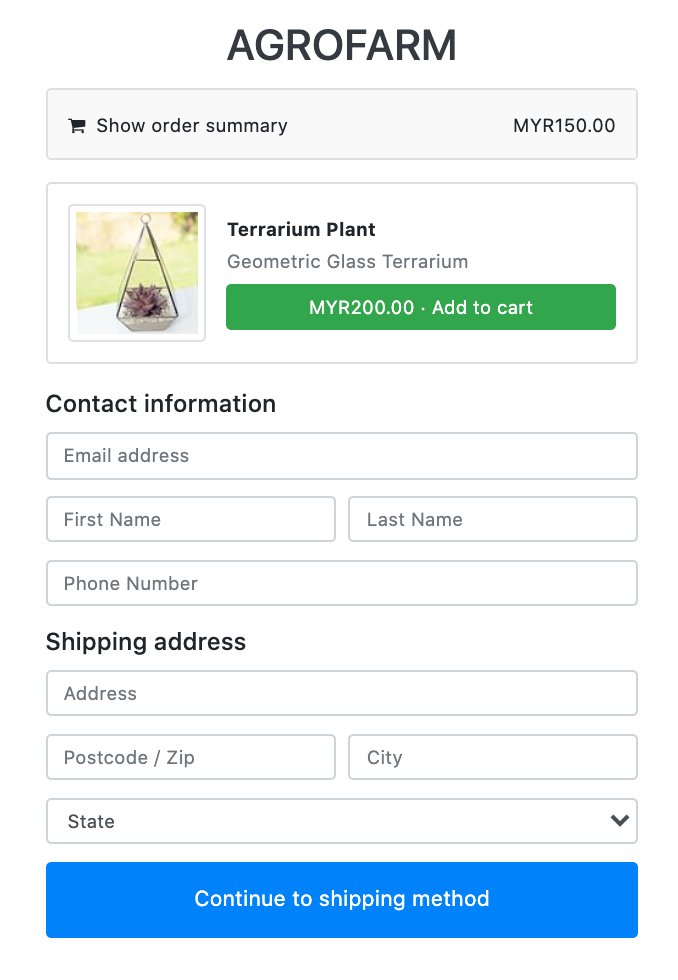
Bump offers is a function of Shoppego under marketing to increase the conversion rate for your online store. In simple terms, it is for cross-selling to buyers.
This bump offer feature is only available in the Premium Plan. The order bump will appear at the Checkout section when the buyer fills in the information for delivery.
One-time Offer
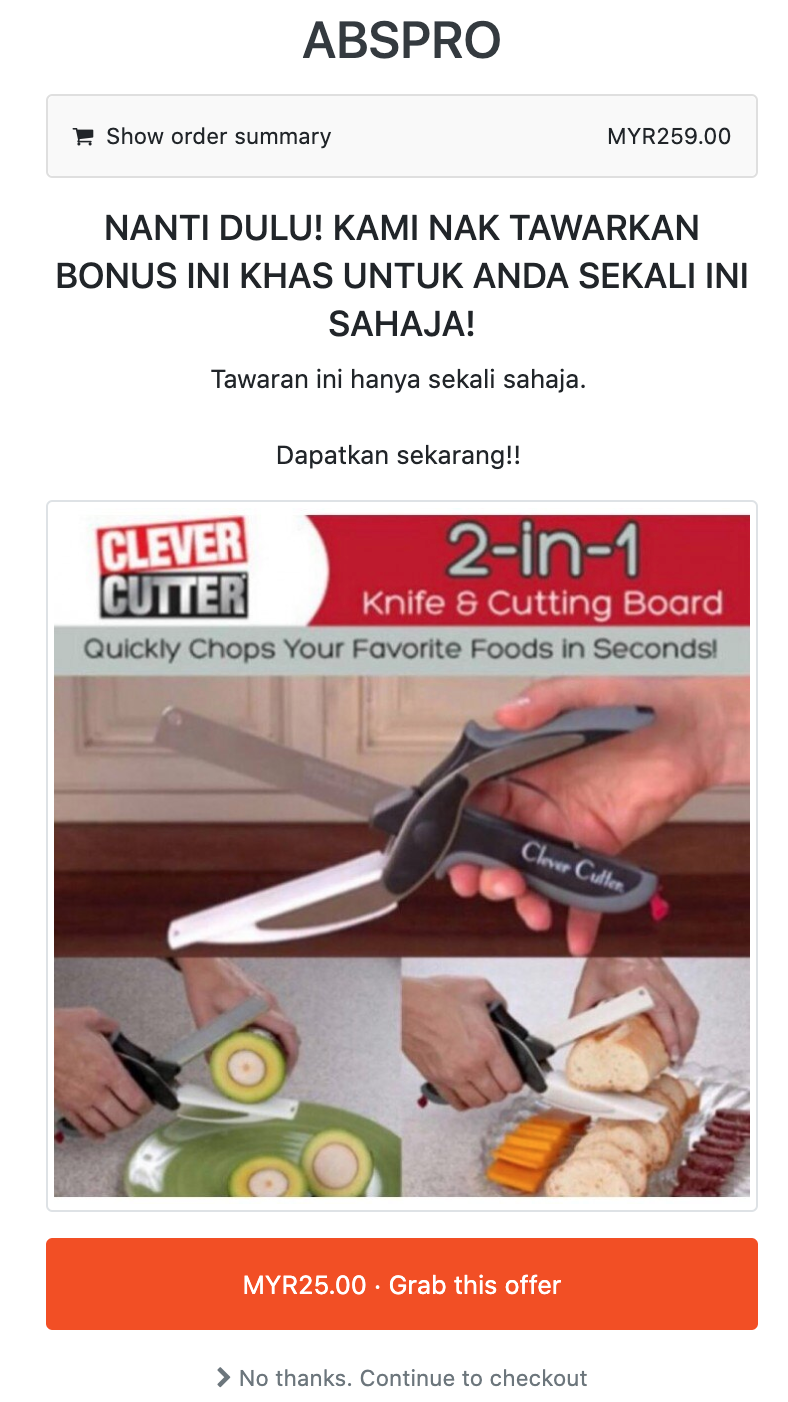
One-time Offer is where users can make a special offer to customers only once when they want to make a payment.
This OTO will appear after the buyer enters all personal information on the Checkout Page. If they choose to ‘skip’ the offer, they will not have another chance to get this special offer.
Typically, in this section, users will upsell with more expensive products to further increase the conversion rate. For example, like this,
Bandwidth
Bandwidth is measured as the amount of data that can be transferred from one point to another in the network within a certain time frame. It is very important to determine how fast your website can be ‘reload’.
The Shoppego system has unlimited data for each package. This means users do not have to worry about slow website problems when there are many visitors entering the website at the same time.
Transaction Fee
The RM0.20 transaction fee means the charge that will be imposed by Shoppego on users for each order that comes in.
This charge will apply to every transaction that does not use our preferred payments, namely Securepay.
Support
This support in simple terms is ‘Group Support’. When users use Shoppego, they do not have to worry about technical matters anymore.
This is because Shoppego has a technical support team that is very expert in the IT field. For technical assistance, users can email [email protected] for the technical team to assist them more easily.
For any general inquiries, users can ask directly in the Shoppego’s Community Facebook Group.
Operating hours as usual:-
Monday-Friday 9:00a.m.-5:30p.m. (except public holidays)
Staf Tambahan
Additional staff means users can give access to others to manage their website by adding staff accounts in Shoppego.
The staff will receive an email invitation to manage the user's online store. With this function, business owners no longer need to monitor their online store accounts 24 hours a day because there will be other staff to help them manage the website.
Storage Limit
Storage limit is the maximum limit of files/images that users can upload to their website. In Shoppego, users can check how much storage has been used in the website by simply looking at the ‘Overview’ section of the dashboard. This makes it easy for users to know how many more files/images/videos they can upload to the website.
Products
Features for ‘Product’ means the number of products that users can add to the Website. It is not the same as the number of images that can be added for each product.
See the example below,

This image is categorized as 3 products because they are different products.
In Shoppego, the number of products that can be added to the website will depend on the package subscribed by the user.
Custom Domain Support
Every user who sets up an online store in Shoppego will get a free sub-domain from us. For example, the store name will look like this,
https://kedaisaya.myshoppego.com
However, if users are interested in having their own domain like https://kedaisaya.com, they can obtain it from any domain provider like Shinjiru, Exabytes, Namecheap, etc., and then link it to Shoppego.
For the information of all users who subscribe to any paid plan, Shoppego allows them to use their own domain as only each paid plan provides support for a custom domain.